
How to Update SASSA Grant Application
Updating the SASSA application if you have created any mistakes or failed any SASSA grant recently is an easy and simple process to perform. In this guide, you will learn how to update the SASSA grant application in case you want to find any error in a matter of minutes.
Before you update anything in your application, to skip additional errors make sure you put all the details very carefully for this, you can keep all your necessary documents in your hand because most of the things in all this are case sensitive and require your full attention.
Update SASSA Grant Details
We encourage all of our online guides to first clear your browser cache for a better experience, so make sure you clear it first before taking any further steps.
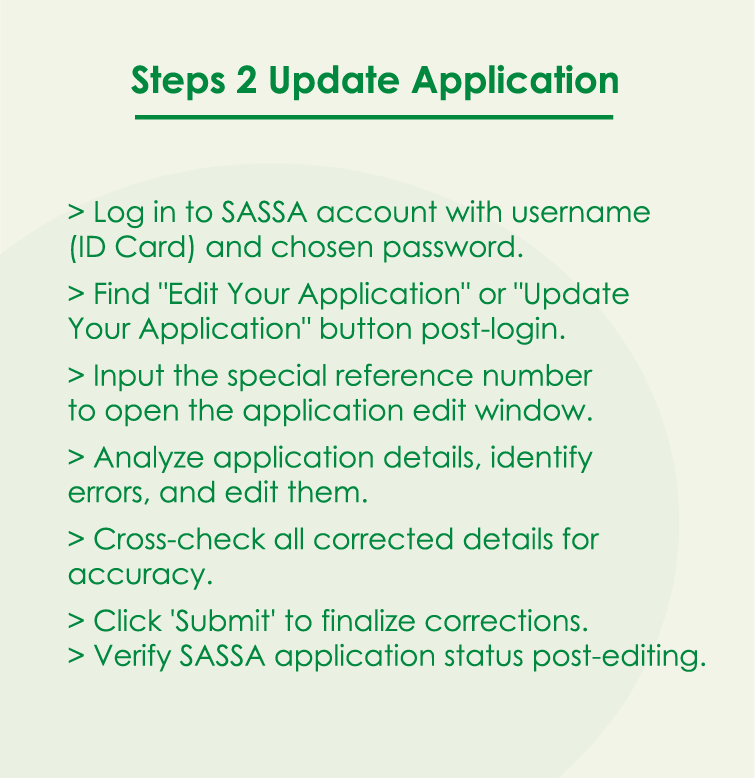
- Login to your SASSA account using your username (ID Card) and password which you have selected while making your account.
- After successful login, you will see a button “Edit Your application” or it might be “Update Your Application”.
- You will be asked for a special reference number of the application and you will see a new window pop-up that will allow your application to edit.
- You will see all the details of your application and now you have to analyze your whole application to find the error you created.
- After analyzing and finding the error, edit and make it correct.
- After correcting the error, cross-check all the details to verify that all of them are now correct, and finally, click on the ‘Submit’ button.
- Now you can check your SASSA application status.
- Before submitting for application update, ensure your email, ID, Ph#, bank account, and other details related to you are correct and current.
Important:
The process for uopdating application online is the same for all SASSA grants including R350, Child Support, Foster Child, Disability, War Veterans, and Care Dependency.
Precautions While Updating Your SASSA Application
While you update your application, be aware that you’re keeping in mind the following things in order to achieve maximum positivity for your application.
- Update before your application reaches the SASSA decision-maker in case you think you made a mistake in your details.
- Only use this feature when necessary, or ignore it.
- Try to update the information in your application in the first week of application submission.
- Proofread your application after any edits.
- Avoid taking service from people offering any such related to the SASSA application.
- An unstable internet connection can lead to partial application update, ensure your internet is stable and secure, also don’t use public internet for this purpose..
- Use only official SASSA portal to edit your application from this link https://srd.sassa.gov.za/ and avoid using any thrid-party apps or websites for this.
- The device you are using for this either computer or smartphone must be yours, don’t use device of others for long term safety of your data.
- Never forget to logout from the portal after completing the application update task.
- While updating your SASSA application, don’t use the autofill feature offered by browsers these days, type yourself and cross-check every detail after.
- You can take a screenshot of the changes you made in your application in case SASSA requires proof which is a rare case scenario.
- Before pressing the update button, once again make sure your ID number and phone number are correct on your application form.
- In case you are dealing with dates in your application, make sure your dates are written in a correct format as suggested by SASSA.
- Do your work in a single browser tab and avoid opening multiple tabs simultaneously.
- Avoid doing this if SASSA website is under maintenance or down due to any technical reason, wait for some times and then start proceeding to update your application.
FAQs
Why do I need to change or update my SASSA grant application?
If you think you have perfectly filled all the details while you submitting for registration, then you don’t need to update it. In case you think there should be something else in a specific info box, then you can try this application updating feature.
What type of SASSA grant application can be updated?
There is no specific number of application types that you can update, you can update any application you want.
Is there any specific time to update the application?
If you think you have created any mistake, then you can update the application using the procedure we told you above as soon as possible in the next 2 weeks.
After how much time will my application be reviewed and answered?
It all depends on the load of work at the end of SASSA.
Can I update the SASSA application offline?
Yes, it’s absolutely possible, but rather you take time to visit SASSA officials for this purpose, you can do this online in very simple steps and very quickly, doing it online is always the best choice though.
How do I correct my sassa application?
To correct any mistake you found in your application, follow the application update process I told above and correct the mistake you think should be corrected.
